

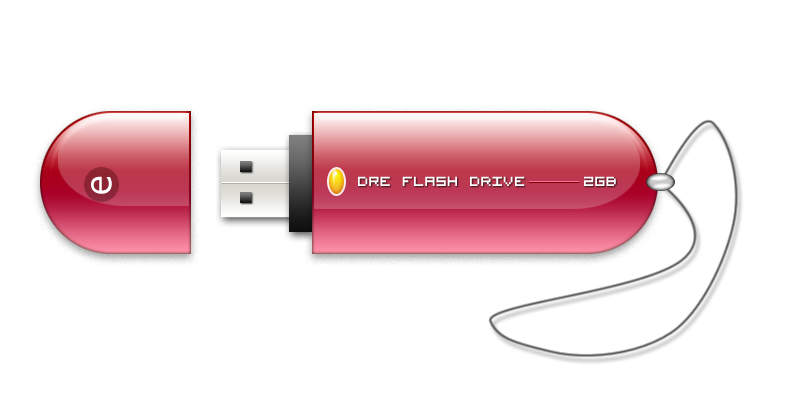
Tutorial photoshop kali ini gw mao bikin flash disk, ... kira kira kaya gini sih bentuk na, namana juga ilustrasi.. hhehhek
pada canvas baru berukuran 800 x 400 px, aktifkan dlu grid canvas na untuk membantu membwat objek dengan posisi yang proporsional, via menu View > Show > Grid / pencet [ CTRL + ' ]
ambil eliptical marquee tool (M), bwat satu lingkaran elipse, trus lanjutin bikin satu elipse lagi, sambil mencet [SHIFT] bwat meng-add seleksi na.
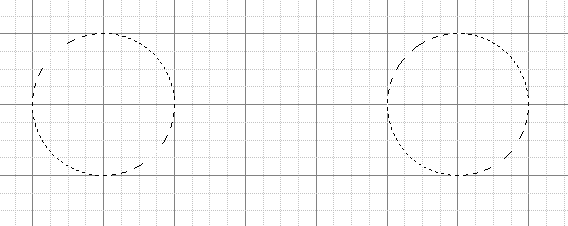 .
.
add lagi (masih sambil mencet SHIFT) satu seleksi kotak diantara dua buah elipse di atas.
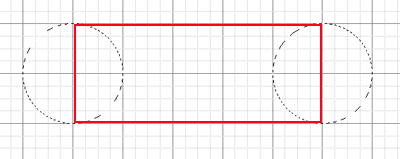
jadi ke gini hasil seleksi marquee na..

dari sono, bikin layer baru kasi warna bebas, bisa pake paint bucket, atow [ALT + BackSpace].
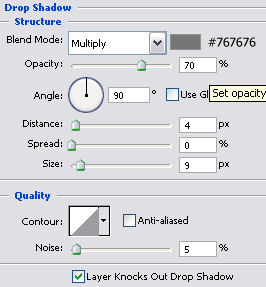
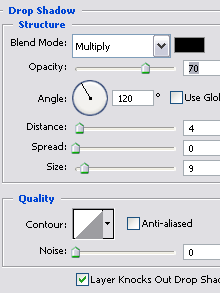
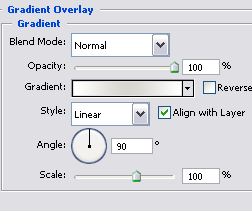
baru dah kasiin style na:
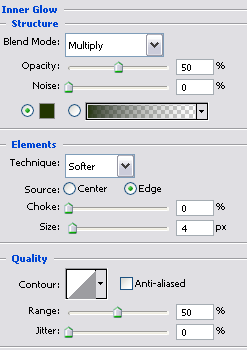
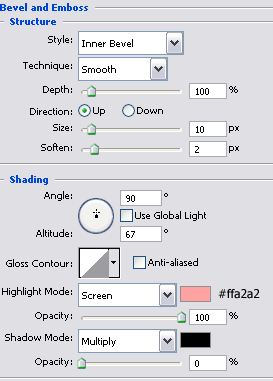
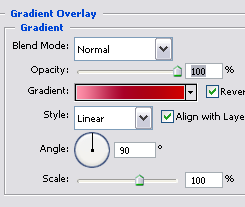
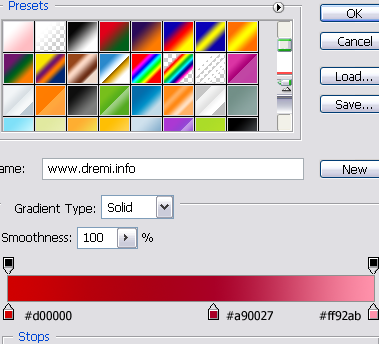

woke, kali ini kita kasi shadow sedikit kabur, pencet [CTRL+Click] pada layer dasar diatas ni bwat bikin seleksi yang sama persis, bwat layer baru, kasi warna putih, turunin opacity na
baru dah di Transform [CTRL+T], perkecil ampe ke gini. saat di transfrom, usahakan sebelumna pencet tombol [SHIFT + ALT] agar pergeseran transform na seimbang, yakni mengecil ke tengah:

diatasna, bikin layer baru lagi, kali ini bikin gradasi transparent putih, dari atas ke bawah.

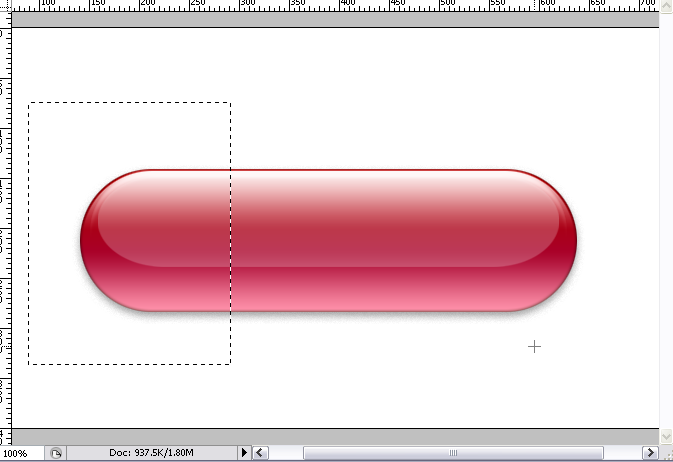
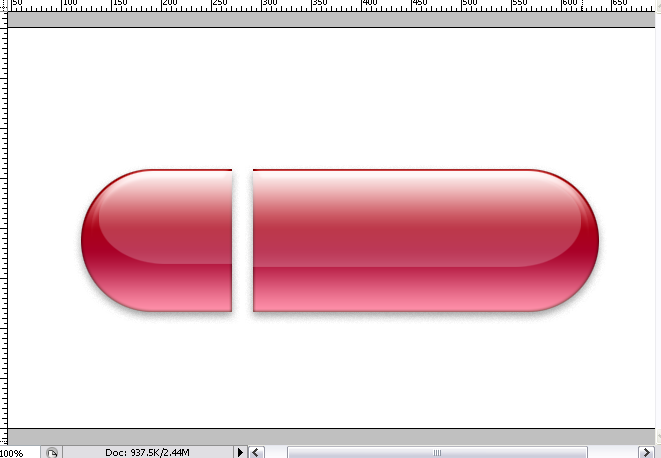
woke, saat na kita pisahin antara body flash drive dengan tutupna, beralih ke layer dasar gradasi merah, ambil seleksi pada bagian sisi kiri ...., pencet keyboard [CTRL+X] dan paste [CTRL+V] , pisahkan sementara ke samping kiri
ulangi untuk memisahkan layer shadow dan layer gradasi transparent.
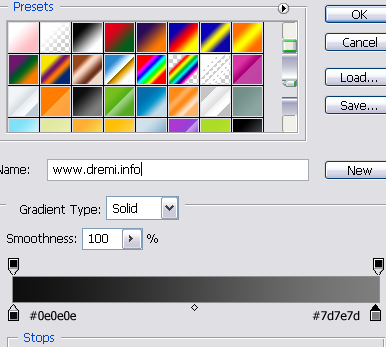
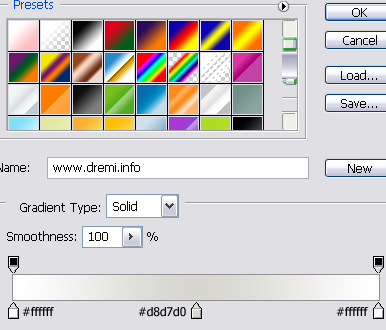
gw pake shaping bwat nambahin bantalan ujung USB, kasi gradasi ke gini :
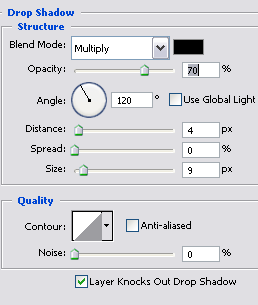
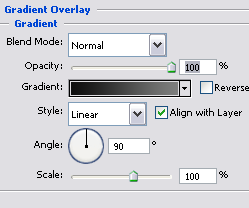
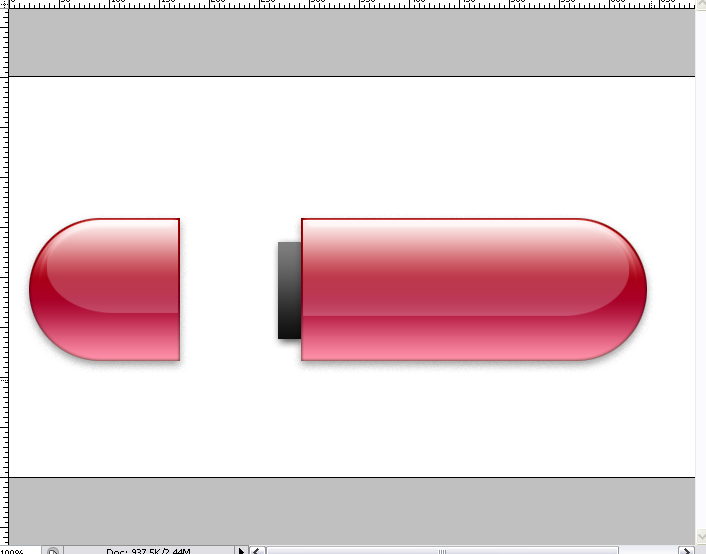
woke, bikin lagi satu shaping bwat lempengan USB na
gw kasi juga gradasi sedikit metal
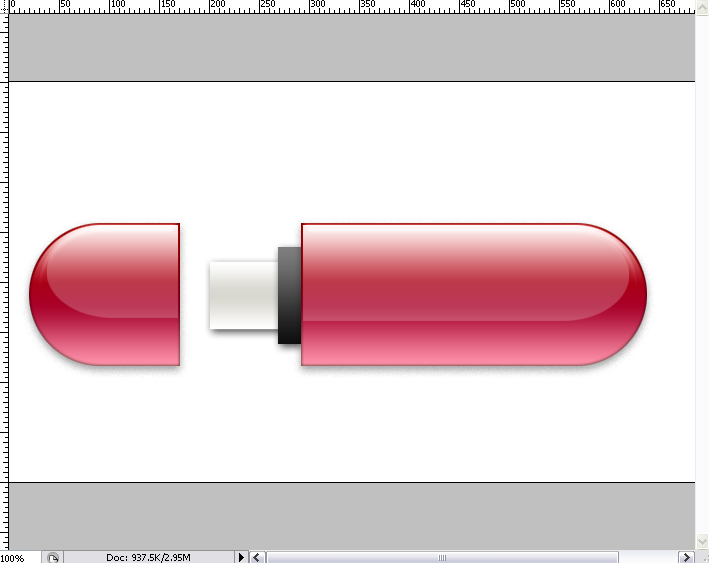
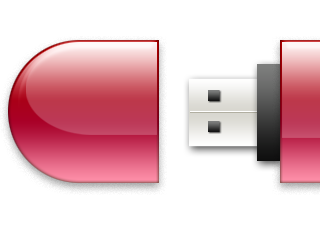
kasi 2 kotak kecil di ujunga, ke yang sering lu liat di flash disk lu..
woke, untuk merek na lu bikin aja tulisan na di body flash drive na ...
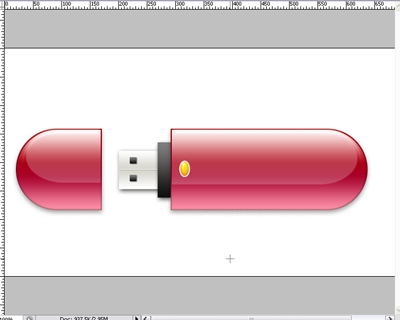
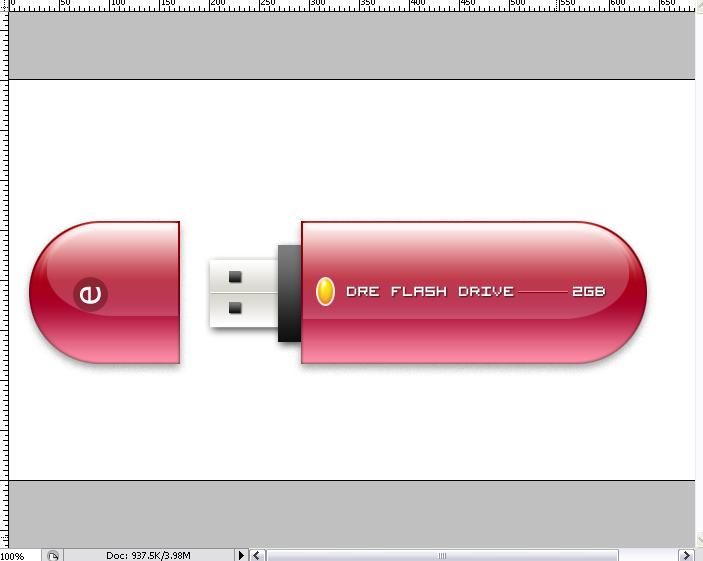
bwat gantungan na gw bikin pake pen tool.... dengan mode path

bikin titik path dlu
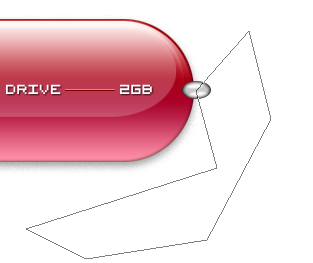
ambil convert point tool  , lengkungin bagian titik2 na
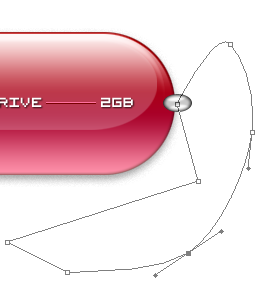
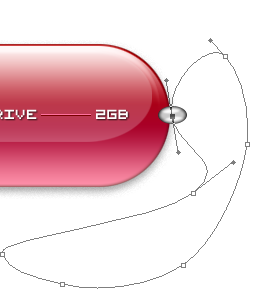
woke, kalo udah lengkung dan ckup menarik, untuk sebuah gantungan flash drive lu... aktifkan tool brush, pilih size 3 px, dan ubah forground color menjadi hitam, kalo udah kembali ke pen tool.
bikin layer baru, baru dah klik kanan di path na, pilih stroke path.
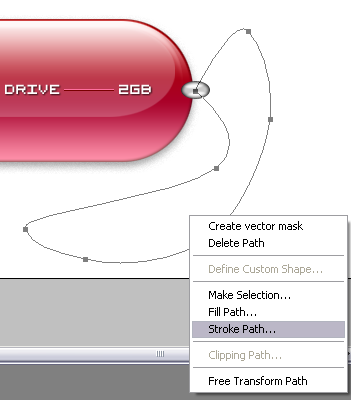
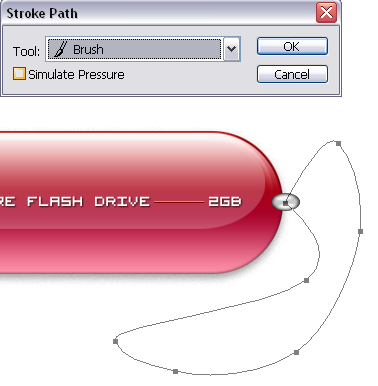
gunakan option brush yang udah lu setting sebelumna
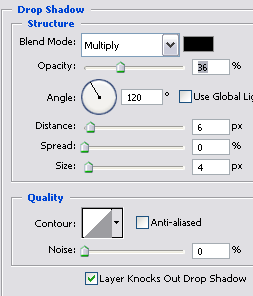
nah kasi dah sdikit drop shadow
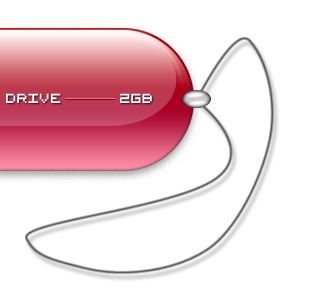
jadi dah,...
?
? Copyright 2008 www.dremi.info Original Post: USB Flash Drive Illustration Category: Interface
About the Author: dr.emi is a free man to distribute anything that he was founded. As a Webmaster He was publishing www.dremi.info to create one community that loves free idealism. Very specialy in Design Category. Welcome to love it!