Tab CSS Menu Sederhana

Line Break
Penulis: Admin (252 Articles)
Admin
Memberikan pembelajaran kepada Anda seputar Web Development, Desain Grafis, dll, secara gratis. Berawal dari hoby sharing akan ilmu web development di tahun 2007 oleh 2 mahasiswa.
Contact:
Homepage : http://www.ilmuwebsite.com
Ingin menjadi penulis artikel di ilmuwebsite? Klik >> Daftar

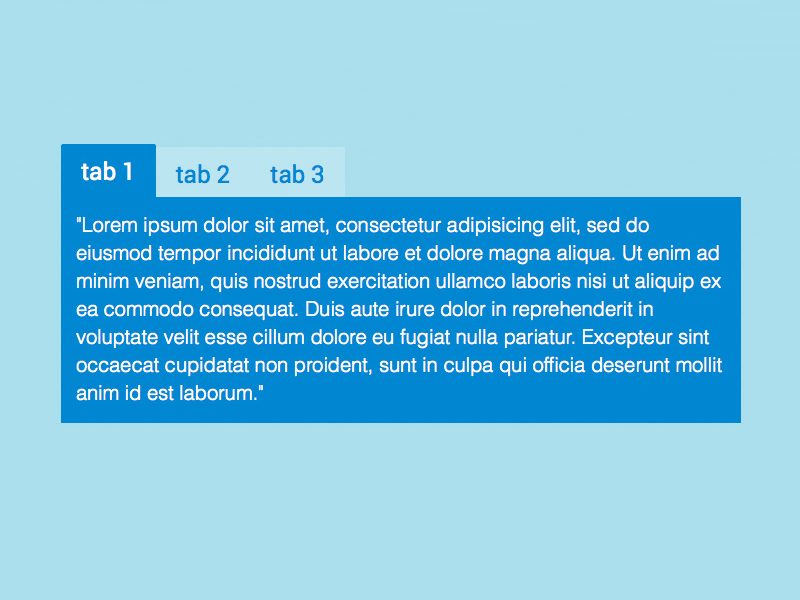
Tab CSS Menu Sederhana tutorial html web desain grafisSuka dengan CSS menu? cobalah membuat CSS menu anda sendiri.
Berikut ada contoh membuat menu CSS sederhana, untuk proses belajar anda bisa memodifikasinya :)
Code nya:


——————————
<?xml version=”1.0″ encoding=”iso-8859-1″?>
<!DOCTYPE html PUBLIC “-//W3C//DTD XHTML 1.1 Strict//EN” “http://www.w3.org/TR/xhtml1/DTD/xhtml1-transitional.dtd”>
<html xmlns=”http://www.w3.org/1999/xhtml” xml:lang=”en” lang=”en”>
    <head>
         <meta http-equiv=”Content-Type” content=”text/html; charset=ISO-8859-1″/>
         <title>DHTML Tab,JavaScript Tab</title>
    <style type=”text/css”>
         #tabs {display: block;float: left;width: 160px;}
         .panel {border: solid 1px #D8D8D8;border-top: none;background-color: #FFFFFF;padding: 0px;width: 158px;overflow: auto;clear: left;}
         .tab_bdr{padding: 0px;width: 158px;border: 0px;border: 1px solid #645DB5;height: 4px;margin:0px;background: #645DB5;clear: left;font-size: 0px;}
         .tab{font-family:tahoma; FONT-SIZE: 11px;background:#BA0808;color:#FFFFFF;cursor:pointer;border:none;border-bottom: 1px solid #FFFFFF;height:19px;padding-top:3px;margin:0px;width:60px; float:left; text-decoration:none;}
         .tab_sel{font-family:tahoma; FONT-SIZE: 11px;background:#645DB5;color:#FFFFFF;cursor:pointer;border:none;border-bottom:1px solid #645DB5;height:19px;padding-top:3px;margin:0px;width:60px; float:left; text-decoration:none;}
    </style>
    <script language=”JavaScript” type=”text/javascript”>
    var panels = new Array(‘panel1′, ‘panel2′;); // IDs of the content panels must be put here
    var tabs = new Array(‘tab1′, ‘tab2′;); // IDs of the tabs must be put here
    function displayPanel(nval)
    {
         for(i = 0; i < panels.length; i++)
         {
             document.getElementById(panels[i]).style.display = (nval-1 == i) ? ‘block’:'none’;
             document.getElementById(tabs[i]).className=(nval-1 == i) ? ‘tab_sel’:'tab’;
         }
    }
    </script>
    </head>
    <body>
         <div id=”tabs”>
             <div id=”tab1″ class=”tab_sel” align=”center” onClick=”javascript: displayPanel(’1′;);”>Tab 1</div>
             <div id=”tab2″ class=”tab” style=”margin-left:1px;” align=”center” onClick=”javascript: displayPanel(’2′;);”>Tab 2</div>
         </div>
    <div class=”tab_bdr”></div> <!– This is the div used to show a thick border below the tab and above the panel–>
         <div class=”panel” id=”panel1″ style=”display: block”>1</div> <!– The display panels for the respective tabs can be put here –>
         <div class=”panel” id=”panel2″ style=”display: none”>2</div>
    </body>
</html>

——————————

contoh jadi:


{source}

    <style type="text/css">         #tabs {display: block;float: left;width: 160px;}         .panel {border: solid 1px #D8D8D8;border-top: none;background-color: #FFFFFF;padding: 0px;width: 158px;overflow: auto;clear: left;}         .tab_bdr{padding: 0px;width: 158px;border: 0px;border: 1px solid #645DB5;height: 4px;margin:0px;background: #645DB5;clear: left;font-size: 0px;}         .tab{font-family:tahoma; FONT-SIZE: 11px;background:#BA0808;color:#FFFFFF;cursor:pointer;border:none;border-bottom: 1px solid #FFFFFF;height:19px;padding-top:3px;margin:0px;width:60px; float:left; text-decoration:none;}         .tab_sel{font-family:tahoma; FONT-SIZE: 11px;background:#645DB5;color:#FFFFFF;cursor:pointer;border:none;border-bottom:1px solid #645DB5;height:19px;padding-top:3px;margin:0px;width:60px; float:left; text-decoration:none;}    </style>    <script language="JavaScript" type="text/javascript">    var panels = new Array('panel1', 'panel2'); // IDs of the content panels must be put here    var tabs = new Array('tab1', 'tab2'); // IDs of the tabs must be put here    function displayPanel(nval)    {         for(i = 0; i < panels.length; i++)         {             document.getElementById(panels[i]).style.display = (nval-1 == i) ? 'block':'none';             document.getElementById(tabs[i]).className=(nval-1 == i) ? 'tab_sel':'tab';         }    }    </script>

         <div id="tabs">             <div id="tab1" class="tab_sel" align="center" onClick="javascript: displayPanel('1');">Tab&nbsp;1</div>             <div id="tab2" class="tab" style="margin-left:1px;" align="center" onClick="javascript: displayPanel('2');">Tab&nbsp;2</div>         </div>    <div class="tab_bdr"></div> <!-- This is the div used to show a thick border below the tab and above the panel-->
         <div class="panel" id="panel1" style="display: block">1</div> <!-- The display panels for the respective tabs can be put here -->         <div class="panel" id="panel2" style="display: none">2</div>

{/source}

Terimakasih


Cari artikel lain :

Tab CSS Menu Sederhana tutorial html web desain grafis

Tab CSS Menu Sederhana tutorial html web desain grafis


Punya pertanyaan? Mari kita bahas di forum ilmuwebsite

term:
div tutorial css, tutorial php javascript html css

Comments are closed.

eXTReMe Tracker